


 Sign In
Coding Genius Jr
by Prof Ved
Prof Ved's Coding Genius Jr helps children ages 5–8 build strong coding foundations through fun, structured lessons and hands-on projects — developing creativity, logical thinking, problem-solving, and the confidence to create with code.

trust Prof Ved's coding programs
Coding Genius Jr has been a wonderful learning experience for my child. The classes are fun, engaging, and easy to understand, while helping build creativity, problem-solving, and confidence with technology.
Give Your Child the Coding Advantage
One free class. No commitment. See the Prof Ved approach firsthand.
Book a Free Trial Class → Have questions? Talk to us on WhatsApp →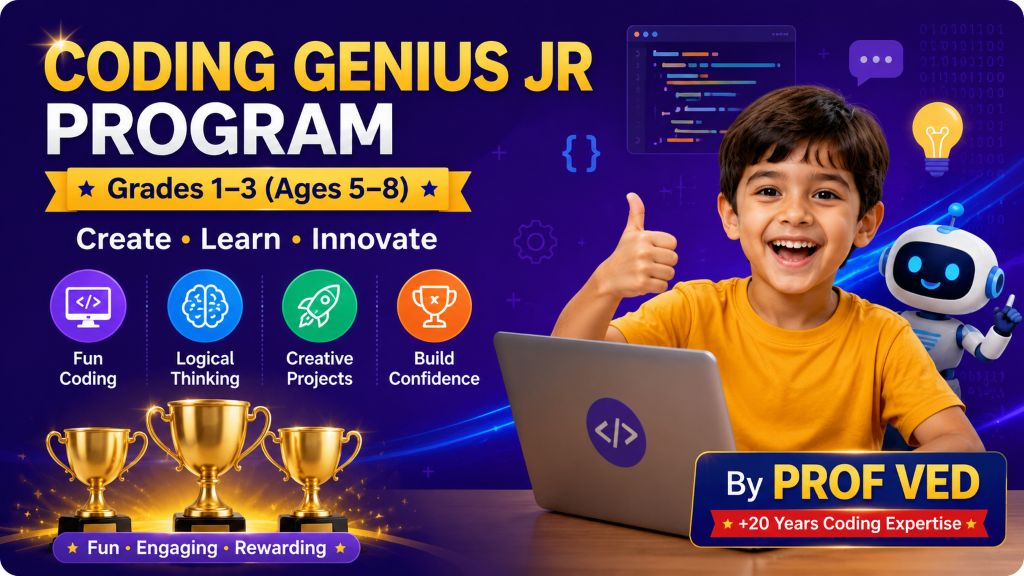
What Coding Genius Jr does
for your child
Coding Genius Jr is designed to give young learners a fun and engaging introduction to coding. Through age-appropriate Scratch lessons, creative projects, games, animations, and stories, children begin developing logical thinking, creativity, problem-solving skills, and confidence with technology.
How the program works
Designed to make coding fun,
creative, and easy to understand
Every part of Coding Genius Jr is designed for young learners. Children are introduced to coding through simple concepts, interactive activities, creative projects, and hands-on practice that make their first coding experience enjoyable and engaging.
Coding Genius Jr Curriculum
A fun and creative coding journey designed for young learners to discover programming through Scratch, interactive activities, animations, storytelling, beginner game design, and hands-on projects while developing logical thinking, creativity, and problem-solving skills.
What Students Learn
Students begin with the basics of coding and Scratch before progressing through motion, events, animation, sound, loops, coordinates, conditional thinking, variables, storytelling, beginner game design, and creative final projects. Each stage gives young learners opportunities to explore, experiment, create, and build confidence with coding.
Children discover what coding means through instructions, sequencing in real life, clear and unclear instructions, arranging steps, sprites, the stage, and saving their projects.
Children learn what Scratch is and explore movement and direction through sprite activities before creating a mini project such as a dance or story in Scratch.
Students explore motion blocks, move steps, turning left and right, going to positions, coordinates, and glide instructions to control how sprites move.
Students explore green flag events, sprite clicks, keyboard events, mouse interactions, touch events, broadcast messages, costume and backdrop changes, and create a mini project using these concepts.
Children learn show and hide, size and visual effects, switching backdrops, and combine these concepts to create a simple animation project.
Students explore sound blocks, different types of sounds, background music, volume control, voice recording, and combining sound with actions through a mini project.
Children learn how loops repeat actions using Repeat and Forever blocks, explore repetition with motion and dance patterns, and gain a basic understanding of nested loops.
Students explore X-Y coordinates, direction, glide movement, and screen movement to understand how sprites move and interact within the Scratch stage.
Children are introduced to if conditions, if-else thinking, touching conditions, and detecting colors to understand how programs can respond to different situations and game rules.
Students learn the basics of variables and use them to create score counters, timers, and lives systems for interactive projects and beginner games.
Children learn story planning, story flow, conversations, dialogue, scene changes, and background switching to create interactive stories in Scratch.
Students explore game rules, player controls, obstacles, winning and restarting, and basic debugging while creating beginner-friendly interactive games.
Children bring their learning together through project planning, character design, testing, improvement, and sharing their completed creative coding projects.
From First Instructions to Creative Projects
Coding Genius Jr takes young learners on a gradual journey from understanding simple instructions and sequencing to creating Scratch animations, interactive stories, beginner games, and creative final projects. Along the way, children develop logical thinking, problem-solving, creativity, and confidence while learning how to turn their ideas into interactive creations.
Students develop skills across coding, Scratch, animation, storytelling, beginner game design, and creative problem solving.
Join Coding Genius Jr
Simple monthly enrollment. No upfront fee. Cancel anytime.
- Live weekly coding classes with a Prof Ved instructor
- On-demand video lessons on the LMS
- 8-module guided journey — from logic basics to a final project
- Monthly progress updates for parents
- Certificates & recognition along the way
No upfront fee · Cancel anytime · Join anytime
Not ready yet? Book a free trial class first →Give Your Child the Coding Advantage
One free class. No commitment. See the Prof Ved approach firsthand.
Book a Free Trial Class → Have questions? Talk to us on WhatsApp →