


 Sign In
The Coding Genius Program
by Prof Ved
Prof Ved's Coding Genius Program helps students aged 9–12 build strong coding foundations through engaging, structured lessons and hands-on projects — developing problem-solving, logical thinking, creativity, and the confidence to create with code.

trust Prof Ved's Coding Genius Program
Coding Genius Program has been a wonderful learning experience for my child. The classes are fun, engaging, and easy to understand, and I’ve seen a real improvement in their coding skills, creativity, problem-solving, and confidence.
Give your child the coding advantage
One free class. No commitment. See the Prof Ved approach firsthand.
Book a Free Trial Class → Have questions? Talk to us on WhatsApp →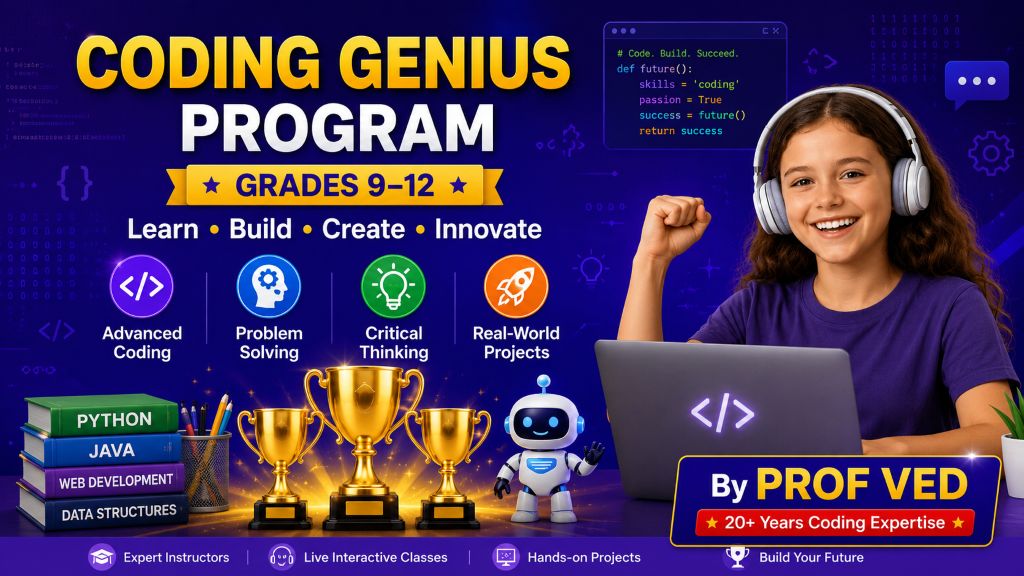
What Coding Genius does
for your child
Coding Genius is more than an introduction to programming. It gives students a fun and structured way to discover coding, build creative projects, strengthen logical thinking, and develop the confidence to create with technology.
How the program works
Designed to make coding exciting,
practical, and easy to understand
Every part of Coding Genius is designed to help students understand coding concepts, practice what they learn, build creative projects, and gradually develop the mindset of a young programmer.
Coding Genius Curriculum
A creative coding journey designed to help students discover programming through Scratch, interactive games, animations, storytelling, and hands-on projects while developing logical thinking, problem-solving, creativity, and confidence with technology.
What Students Learn
Students start with the fundamentals of coding and gradually progress toward creating interactive games, animations, stories, simulations, educational projects, and complete capstone projects. Every stage gives students opportunities to experiment, solve problems, and turn their ideas into working programs.
Students discover what coding is, explore the Scratch interface, understand sprites and the stage, and create their first programs.
Learn how instructions work in sequence and how arranging code in the correct order controls what a program does.
Students use motion blocks to control sprites, create movement, explore coordinates, and build interactive animations.
Understand how events start programs and make different parts of a Scratch project respond to user actions.
Explore costumes, speech bubbles, visual effects, size changes, and other tools for making Scratch projects more expressive and engaging.
Add sounds, music, and audio effects to projects while learning how sound can make games and animations more interactive.
Learn loops, waits, conditions, and other control structures that allow students to create more powerful and dynamic programs.
Understand how programs store and change information using variables and apply them to interactive projects and games.
Learn the programming logic behind games, including player actions, scoring, conditions, challenges, and interactive game mechanics.
Students bring multiple coding concepts together to create larger Scratch projects and practice building complete interactive programs.
Students review and showcase their projects while developing confidence in explaining what they created and how their programs work.
Explore mathematical and logical operators and learn how programs can calculate values, compare information, and make decisions.
Build more advanced logic by combining operators and multiple variables to create increasingly sophisticated programs.
Learn how lists can store collections of information and use them to create more advanced games and interactive applications.
Develop stronger programming logic using nested loops and apply them to increasingly complex game mechanics and challenges.
Discover how cloning works in Scratch and use it to create multiple objects, enemies, obstacles, and dynamic game elements.
Learn how to organize code into reusable custom blocks and develop cleaner, more efficient Scratch programs.
Use the Pen tool to create drawings, patterns, interactive artwork, and creative coding projects.
Explore advanced communication between sprites and build projects involving multiple characters and interactive game systems.
Students combine advanced Scratch concepts to develop larger and more sophisticated projects.
Reinforce important programming concepts and review the skills students have developed throughout the course.
Create more advanced animations by combining movement, timing, costumes, effects, events, and programming logic.
Learn how coding can be used to tell stories by combining characters, dialogue, animation, sound, scenes, and interactive elements.
Begin building a platformer game while learning movement, levels, obstacles, player controls, and game design concepts.
Continue developing a complete platformer by adding more advanced mechanics, challenges, and interactive game elements.
Explore more sophisticated game systems and learn how different programming concepts work together to create engaging gameplay.
Explore movement, gravity, collisions, and other physics-inspired concepts while building interactive Scratch projects.
Use advanced cloning techniques to create dynamic objects and complex systems inside interactive Scratch games.
Learn how scrolling environments work and use them to create larger, more immersive game worlds.
Build inventory mechanics that allow games to store, track, and manage items collected by players.
Create health systems, power-ups, challenges, and other mechanics that make games more interactive and engaging.
Learn how to design game menus and user interfaces that make Scratch games feel more organized, polished, and complete.
Combine art and programming by designing characters, backgrounds, graphics, and creative digital artwork for Scratch projects.
Build interactive quizzes and educational games that combine programming logic with learning and engaging user experiences.
Explore how programming can model systems and create interactive simulation-style experiences.
Bring together programming, game logic, variables, systems, and creative design to build a complete tycoon-style game.
Review the skills developed throughout the program and prepare to independently plan and build a final coding project.
Students bring their coding knowledge together to design, build, test, improve, and showcase an original project of their own.
From First Code to Complete Projects
Coding Genius takes students on a progressive journey from their first Scratch programs to increasingly advanced games, animations, simulations, and creative applications. Along the way, students develop computational thinking, problem-solving skills, creativity, and the confidence to build their own ideas with code.
Students develop skills across coding, game development, creative technology, and computational thinking.
Start Your Child’s Coding Genius Journey
Monthly Program Fee
- Live weekly coding classes with an experienced instructor
- Regular coding activities, challenges, and hands-on projects
- Strong programming fundamentals and problem-solving skills
- Progression from Python fundamentals to databases, AI, and machine learning
Give Your Child the Coding Advantage
One free class. No commitment. See the Prof Ved approach firsthand.
Book a Free Trial Class → Have questions? Talk to us on WhatsApp →